
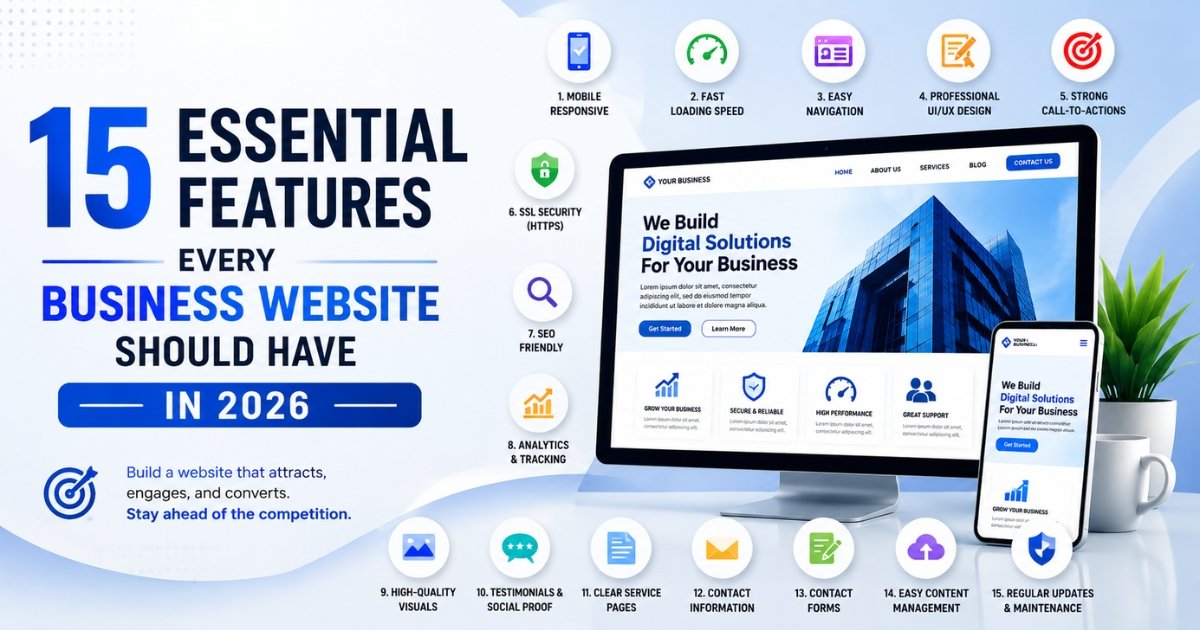
A business website used to be little more than a digital business card, a place to list your hours and phone number. That’s no longer enough. Visitors expect a site that loads instantly, answers their questions, and makes it obvious what to do next — and that starts with the right foundation of Web Development.
The right combination of business website features shapes whether someone trusts your company enough to reach out, buy, or book. It also determines how well your site performs in search results, since Google increasingly rewards sites built around genuine usability rather than just keyword placement.
This guide walks through the 15 features that matter most in 2026, along with the ranking factors, conversion drivers, and common mistakes that separate a website that performs from one that just exists.
Why Every Business Needs a Professional Website
For most customers, your website is the first real interaction they have with your business, often before a phone call or an in-person visit ever happens.
Online credibility comes from more than just having a website. It comes from having one that looks current, loads quickly, and clearly communicates what you do. An outdated or clunky site raises doubts before a visitor even reads your content.
Customer trust builds through consistency. Clear contact information, real testimonials, and professional design all signal that a business is legitimate and worth engaging with.
Lead generation depends on a site being built to convert, not just inform. Clear calls to action, easy contact forms, and logical navigation turn visitors into inquiries.
Brand visibility grows through SEO-friendly structure and consistent content, helping the right customers find you organically instead of relying solely on paid ads.
Competitive advantage often comes down to execution. Two companies can offer nearly identical services, but the one with a faster, clearer, more trustworthy website usually wins the inquiry.
15 Essential Features Every Business Website Should Have
1. Mobile Responsive Design
More than half of web traffic now comes from mobile devices, and Google uses mobile-first indexing, meaning it primarily evaluates the mobile version of your site for rankings. A responsive website design automatically adjusts layout, images, and navigation to fit any screen size. A site that looks great on desktop but breaks on mobile loses both visitors and search visibility.
2. Fast Loading Speed
Every additional second of load time increases the chance that a visitor leaves before the page even finishes rendering. Fast loading speed depends on optimized images, efficient code, and reliable hosting. Businesses in competitive local markets, like a dental practice competing with three others nearby, often lose potential patients simply because a competitor’s site loads two seconds faster.
3. Simple Navigation
Visitors should be able to find what they need within a couple of clicks. Clear menu labels, logical page hierarchy, and a visible search function all reduce friction. If someone lands on your homepage looking for pricing and can’t find it within seconds, they’ll likely leave rather than dig through submenus.
4. Professional UI/UX Design
Good design isn’t just visual polish; it’s function. Thoughtful UI/UX Design guides visitors naturally toward key actions, whether that’s requesting a quote or completing a purchase. Spacing, color contrast, button placement, and readability all play into how easily someone can actually use your site.
5. Strong Call-to-Actions
A homepage without a clear next step leaves visitors wondering what to do. Effective CTAs are specific (“Schedule a Free Consultation” instead of just “Learn More”), visually distinct, and placed where visitors naturally look, typically above the fold and again near the end of key pages.
6. Contact Information
Phone numbers, email addresses, and physical locations should be easy to find, ideally visible in the header or footer on every page. Businesses that bury contact details inside a generic “Contact Us” page make it harder for ready-to-buy visitors to reach out quickly.
7. Secure HTTPS Website
An SSL certificate isn’t optional anymore. Browsers flag non-HTTPS sites as “not secure,” which immediately damages trust. HTTPS also protects customer data during form submissions and is a confirmed ranking signal, making it both a security and SEO essential.
8. SEO-Friendly Structure
A well-structured site uses clean URLs, proper heading hierarchy, descriptive title tags, and organized internal linking. This helps search engines understand and index your content correctly, which directly affects how well your pages rank for relevant searches.
9. High-Quality Visual Design
Generic stock photography and inconsistent branding make a site feel impersonal. Custom photography, cohesive color palettes, and consistent typography, the kind of work that comes out of thoughtful Graphic Design, help a business stand out and feel established rather than templated.
10. Optimized Images
Large, uncompressed images are one of the most common causes of slow websites. Optimized images maintain visual quality while reducing file size, improving both load times and Core Web Vitals scores without sacrificing design quality.
11. Customer Reviews & Testimonials
Social proof reduces hesitation. Displaying real reviews, star ratings, or client testimonials near decision points, like pricing pages or contact forms, reassures visitors that other customers had a good experience.
12. Service Pages
Dedicated pages for each core service or product allow for more targeted SEO and give visitors clearer, more relevant information than a single generic “Services” page. A landscaping company, for example, benefits from separate pages for lawn care, hardscaping, and irrigation rather than combining everything into one paragraph.
13. Contact Forms
Forms should ask for only the information you actually need. A form with twelve required fields discourages submissions, while a simple three-field form (name, email, message) captures more leads without adding friction.
14. Analytics & Tracking
Without tracking tools like Google Analytics and conversion tracking, businesses are essentially guessing about what’s working. Analytics reveal which pages drive the most engagement, where visitors drop off, and which marketing channels actually generate leads.
15. Easy Content Management
A site should be easy to update without needing a developer for every small change. A well-built CMS lets business owners update service descriptions, add blog posts, or swap images independently, keeping the site current without ongoing dependency on outside help.
Website Features That Improve Google Rankings
Certain features affect SEO more directly than others, and understanding them helps prioritize what to invest in first.
Core Web Vitals measure loading performance, interactivity, and visual stability. Google uses these metrics as a ranking factor, so a technically fast, stable site has a real advantage over a slow, jumpy one.
Internal linking helps search engines understand the relationship between your pages and distributes ranking authority across your site. Linking from a blog post to a relevant service page, for example, supports both SEO and user navigation.
Image optimization reduces file sizes without visible quality loss, directly improving page speed, which ties back into Core Web Vitals and overall rankings.
Schema markup adds structured data that helps search engines display rich results, like star ratings or FAQ snippets, directly in search listings, often improving click-through rates.
Technical SEO covers the behind-the-scenes elements, clean code, proper redirects, XML sitemaps, and crawlability that determine whether search engines can efficiently index your site at all.
Content structure using clear headings, short paragraphs, and logical flow helps both readers and search engines understand what a page is about.
Mobile-first design isn’t optional given Google’s indexing approach. A site that performs poorly on mobile will struggle in rankings regardless of how strong the desktop version is.
Website Features That Increase Conversions
Ranking well brings visitors to your site, but conversion-focused features are what turn that traffic into actual business.
Trust signals, including security badges, client logos, and certifications, reduce hesitation for visitors who aren’t yet familiar with your brand.
CTA placement matters as much as CTA wording. Strategic placement near the top of a page, within content, and at natural decision points captures visitors at different stages of readiness.
Social proof in the form of testimonials, case studies, or review scores reassures visitors that choosing your business is a safe decision.
Lead forms that are short, clearly labeled, and free of unnecessary fields convert at meaningfully higher rates than long, complicated ones.
Live chat gives hesitant visitors a low-pressure way to ask questions before committing, which can recover leads who might otherwise leave without converting.
Speed continues to matter here too. Slow forms, laggy page transitions, and delayed load times all quietly erode conversion rates even when the design itself is strong.
User experience ties everything together. A site that’s easy to navigate, visually clear, and free of confusing dead ends keeps visitors engaged long enough to convert.
Common Website Mistakes Businesses Should Avoid
Slow websites frustrate visitors and hurt SEO simultaneously, making speed one of the highest-priority fixes for underperforming sites.
Poor navigation buries important information, forcing visitors to hunt for basics like pricing or contact details.
Outdated design signals neglect, even if the business itself is thriving, and can quietly undermine trust before a visitor reads a single word of copy.
No SEO strategy means even a beautifully designed site stays invisible to the customers actively searching for what you offer.
Weak CTAs leave visitors unsure what to do next, wasting traffic that took effort and often ad spend to generate.
No mobile optimization alienates the majority of web visitors and directly hurts search rankings, given mobile-first indexing.
Poor branding creates inconsistency between a business’s website and its actual reputation, making the company feel less established than it really is.
Business Website Checklist Before Launch
| Checklist Item | Status |
| Mobile responsive across all devices | ☐ |
| Page load speed under 3 seconds | ☐ |
| SSL certificate installed (HTTPS) | ☐ |
| Clear navigation menu with logical structure | ☐ |
| Strong, visible calls-to-action on key pages | ☐ |
| Contact information visible in header/footer | ☐ |
| Dedicated service or product pages | ☐ |
| Optimized images (compressed, proper file types) | ☐ |
| Schema markup implemented | ☐ |
| Google Analytics and tracking set up | ☐ |
| Customer testimonials or reviews are displayed | ☐ |
| Simple, functional contact forms | ☐ |
| SEO-friendly URLs and meta tags | ☐ |
| 404 pages and broken links checked | ☐ |
| Content management system tested for ease of use | ☐ |
How Xpo Outdoors Builds High-Performing Business Websites
Xpo Outdoors approaches every project around a simple question: will this site actually help the business grow, not just look good in a portfolio?
That starts with custom website development tailored to how each business actually operates, rather than forcing every client into the same template. Every site is built with responsive web design as a baseline, ensuring consistent performance across desktop, tablet, and mobile.
Design decisions are guided by professional UI/UX design principles, focusing on how visitors actually move through a site and where they tend to drop off. That’s paired with graphic design work that keeps branding consistent and visually distinct rather than relying on generic stock imagery.
SEO-friendly development is built in from the start, not added as an afterthought, alongside performance optimization to keep load times fast and Core Web Vitals scores strong. After launch, ongoing website maintenance keeps everything running smoothly as the business grows.
For businesses exploring their options, Xpo Outdoors offers professional website development built around real business goals, along with user experience design focused on conversion, and creative branding solutions for businesses that want their site to actually reflect their brand. Companies focused specifically on speed and technical performance can also connect with xpo Outdoors’ website optimization experts for ongoing improvements.
Conclusion
The right business website features do more than make a site look professional. They build trust, support search visibility, and turn visitors into customers. From responsive design and fast load times to clear CTAs and easy content management, every feature on this list plays a specific role in how well a website actually performs.
Skipping even a few of these can quietly cost a business leads, rankings, and credibility, often without an obvious cause. Building with intention from the start avoids that guesswork entirely.
If your current website is missing key features or you’re planning a new one from scratch, Xpo Outdoors can help you build a site designed to deliver measurable results. Reach out today to start the conversation.
FAQs
1. What are the most important features a business website needs? Mobile responsiveness, fast loading speed, clear navigation, strong calls to action, and SEO-friendly structure are among the most critical features for a business website in 2026.
2. How does website speed affect SEO rankings? Page speed is a direct component of Core Web Vitals, which Google uses as a ranking factor, meaning slower sites often rank lower even with strong content.
3. Do small businesses really need all 15 features? Not every feature carries equal weight for every business, but core essentials like mobile responsiveness, HTTPS security, and clear contact information are non-negotiable regardless of business size.
4. How often should a business website be updated? Content should be reviewed regularly, and a full design or functionality refresh is typically recommended every two to three years to keep pace with user expectations and technology.
5. What’s the difference between website design and website features? Design refers to visual appearance, while features refer to functional elements like contact forms, navigation, and analytics that determine how the site actually performs and converts.
6. Can a website have too many features? Yes, overloading a site with unnecessary functionality can slow performance and confuse visitors. Prioritizing features that directly support user goals is more effective than adding everything possible.
7. How do customer testimonials impact conversions? Testimonials provide social proof that reduces hesitation, often placed near pricing or contact sections where visitors are making final decisions.
8. What role does UI/UX design play in a business website? UI/UX design shapes how easily visitors can navigate a site and complete key actions, directly influencing both user satisfaction and conversion rates.
9. Is mobile optimization really necessary for every business website? Yes, given that mobile traffic makes up the majority of web visits and Google’s mobile-first indexing directly ties mobile performance to search rankings.
10. How can I tell if my current website is underperforming? Signs include slow load times, high bounce rates, low conversion rates, outdated design, and difficulty finding key information like contact details or service pages.